

Cyber Week is here! Get 20% off the latest OmniPage
Turn your papers, photos, and PDFs into editable, searchable, and shareable files.
OmniPage Is Trusted by Some of the Biggest Names in Business Including:




The Wrong OCR Software Will Waste Your Time and Money
Digitizing content allows you to spend more time working and less time rifling through file cabinets and old boxes looking for documents. However, poor formatting and scans from inferior software can introduce errors. As a result, entire jobs need repeating, presuming original docs weren’t already recycled or destroyed.
Accurate OCR software is essential.
Comprehensive Conversion Solutions for Any Business or Document
Three million people use Tungsten Automation OCR software every day to speed business workflows, increase productivity, and improve the way work gets done.
- Save time
- Lower costs
- Gains d’efficacité
Whether you’re converting a handful of paper documents or millions of pages, OmniPage is perfect for an individual, small business, or enterprise.

Voted Best OCR Software of 2024 by TechRadar

Prétraitement de l’image
Fonctionnalités complètes

Flux de travail personnalisés

Supporte plus de 100 langues d’OCR
Comprehensive Conversion Solutions for Any Business or Document
Avec OmniPage, vous réduisez les coûts et le temps consacré à la conversion de fichiers et vous modifiez, recherchez et partagez facilement vos documents.
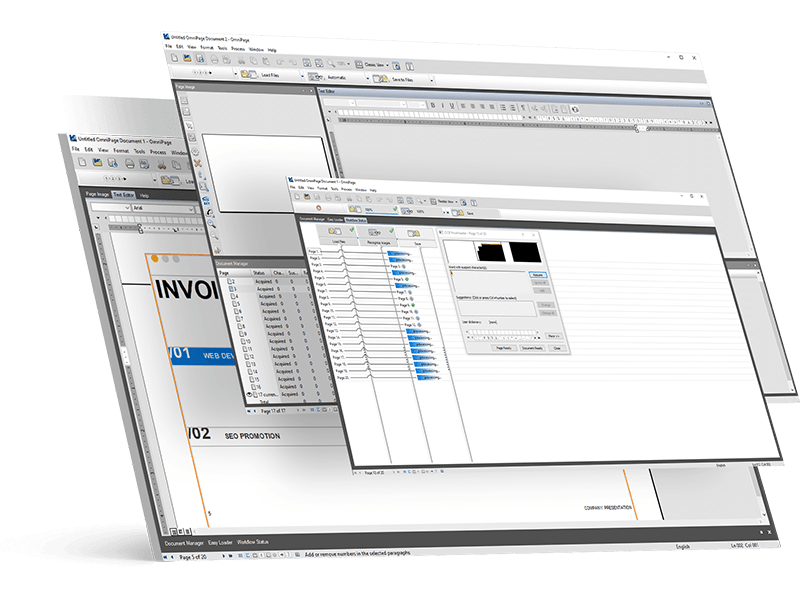
Convertissez tous les formats de documents et d’images avec une précision de pointe

Numérisez des documents pour reproduire les originaux avec des colonnes, des tableaux et des graphiques
Lancez des processus de conversion 24h/24 et 7j/7 en appuyant simplement sur un bouton
Which Version of OmniPage Best Suits Your Needs?
OmniPage Standard 18.0
$ 149 $ 119.20
- Manage documents
Transform words on paper and in images to accurate text for conversion and archiving. - Quickly convert paper to text
Convert documents fast with easy-to-use tools and flexible options. - Utilize automation
Set up recurring conversion workflows to get jobs done easily and quickly. Receive scanned papers or PDFs via Microsoft Outlook® email. - Integrate with your devices and apps
Scan, automatically convert and send docs to the Amazon® Kindle® electronic book reader in one step. - Use your current apps
Supports output formats including PDF, Microsoft® Word, Excel®, PowerPoint® 2007, Corel® WordPerfect®, HTML, and more. - Detect languages automatically
Recognizes 120+ languages allowing you to process, edit, and store documents from virtually anywhere. - Curate photos
Convert any photo into a readable format for mobile devices and electronic book readers.
OmniPage Ultimate 19.2
$ 499 $ 399.20
Tout ce qui est inclus avec la version Standard, plus les avantages suivants :
- Work with distributed teams
Manage and share documents across your entire organization. - Execute virtually anywhere
Utilize OCR to scan documents to any format and route anywhere on your network. - Search PDFs
Use eDiscovery Assistant to safely convert a single PDF or batches in any format into searchable docs. - Leverage Launchpad
OCR to any format, anywhere on the network. Archive and access documents on any device. - Process batches
Automate large volumes of files for batch processing from folders or email. - Use your current scanner
Utilize any scanner including mobile, desktop, all-in-one, and multifunction printers. - Scan mobile documents
Capture text with a digital camera or smartphone, and quickly convert pictures to text documents.
*Offer expires December 5, 2025. Not for resale. Cannot be applied towards any other discount. Valid for up to 10 individual licenses of OmniPage Standard or Ultimate at 20% off retail purchased on tungstenautomation.com. Eligible for all customers with an OmniPage desktop license. Does not apply to OmniPage Server or CSDK products.
Satisfait ou remboursé ! Tungsten Automation s’accompagne d’une garantie satisfait ou remboursé pour les licences individuelles Power PDF (à l’exception de PowerPDF Business), PaperPort et OmniPage achetées sur tungstenautomation.com, valable 30 jours à compter de la date d’achat.

Quelle est la politique de remboursement ?
Tungsten offers a 30-day money-back guarantee on OmniPage individual licenses purchased on tungstenautomation.com.
Is OmniPage a subscription?
OmniPage is a perpetual license, which means that once you buy a license, you own it forever. There are no additional monthly or annual fees if you purchase an individual license.
Quelle est la politique de support?
Tungsten provides 90 days of expert support that will cover installation, setup, and personalized configuration.